


We used this tool in our final draft to get an overall smooth video without any shaky footage being in it. Like some of our outdoor shots which were filmed on the gimble or by hand were shaky so by using the wrap stabiliser it removes this and keeps the audience focused on the narrative and performance and not the technical issues. As well it makes the video look more professional which can keep the audience engaged.
Our final draft, throughout making our music video I have learnt many technical skills when in post production along with skills and techniques when videoing in production. By learning all these skills and techniques as a group we have been able to apply them to our video to create our music video which is emotionally engaging and sticking to our genre.
In our music video our aim was to create a star image that could be seen as ordinary and extra ordinary. The ordinary side of the star is reflected through emotions and loneliness in the narrative whilst the extraordinary side of the star is shown through the performance. As this allows the audience to connect with the star image on an emotional level which would keep them engaged with the music video. As well as representing her as confident, outgoing women which would encourage our target audience which is young females to engage with the video as it would give them a role model/ individual to look up to, which also strengthens that connection between audience and star image.
We used media codes like framing of clips to create meaning and add to the narrative along with using colour grading and correction in the post production on premier pro, as this gave the music video some depth and it allowed us to use our technical skills that we had learnt, by looking at other music videos with similar features this gave us the idea for flashbacks to be included in frames as it differentiates between past and present. We spent time looking at you tube videos on how to edit certain areas on our music video as this allowed use to use a range of technical skills as well as helping with the visual image of our final piece.In our production side of the music video we thought about how the different shots would signify meaning to the audience and help them to perceive the star image in a certain way. As our genre is pop/soul, we aimed to keep the conventional features of a pop/soul music video throughout which hopefully has made our video a preferred reading.
Overall looking back at our music video there is a 40:60 for narrative and performance. We built the narrative around the theme and lyrics of the song which help to create a strong story line and after gaining feedback on each of our drafts we were able to build on this each time to keep improving it. And through this we developed the main themes of our video being – confidence, friendship, growth.
As one out of three products in our promotional package is now complete, this allows us to focus on the other two which is our digpak and social media page.

From this feedback are targets to improve our music video that we have come away with are:
This feedback we got given from our peers was useful as it had markers where parts of the video needed corrected and it gave us the timings on where this happened. The main thing that was mentioned was the shakiness of the clips so we need to make sure those are stabilised as well as needing to make the transitions into the next clips smoother.
Our narrative was perceived by our peers quite well, however focusing forward we may need to add clips in front of the picnic scene as they perceived it as she wasn’t allowed to the picnic instead of the reason being her moving away.
An idea they gave us was using a drop shadow on the text animation to make it look more realistic and 3D which will help make the text look more realistic, which we are going to incorporate in our video going forward.
.
In our 4th draft we have taken onboard the feedback we received from the creative team at specsavers and have made some tweaks to enhance the visual impact. A change we have made is adding in text animation this helps to keep the audience attracted to what they are watching and reinforce the narrative message of the girl missing her friends which can now clearly be seen on the text. The rising animation of the text also add to the visual impact of that section of the video. We have also included framing around the flashbacks so their is a visual border so the audience can recognise the change in time.
I think that are music video is coming nicely together the narrative is starting to clearly be shown along with having a set beginning, middle and end. I think that the last clip of our star image at the reservoir finishes the video off nicely as well. In our music video we have both shown the star image as being ordinary and extraordinary , she is portray as being a confident individual even though she has moved away from all her friends and her missing them and being upset doesn’t stop her from enjoying her new life.

Improvements to make:
We were able to speak to the specsavers creative team, where they gave us feedback on our music video and what could be improved. From this we have taken away with us that:
In our draft 2 we mentioned that we needed to include text animation to clearly display the text messages between the girls. In our draft 1 and 2 the text messages are shown on the phone and the camera is zoomed into them which we later realised this did not work as reflections could be seen through the phone and the text could not be clearly read. So from this we have learnt how to use text animation so then we can include this in our draft 4.
We were shown how to use tools such as, text boxes, key frames, colour grading, colour replace, graphics and shapes.


The feedback we received from the creative team at specsavers was overall really helpful and have given us many ideas that we can now include in our video to help improve the overall video and also the narrative section where a clear beginning, middle and end will be shown. Linking the flashbacks to the present is a link we will have to make as at the moment it is not clear enough so we will use framing to help with this. Talking to them was helpful especially the text animation skills as it will not only be clear in the narrative of whats happening but also keeps the audiences attention as it physically appears on screen making them want to read the text boxes and carry on watching.
In our draft 3, we have used our teachers feedback, where we have made changes in the clips which help link the narrative and performance sequence more clearly.

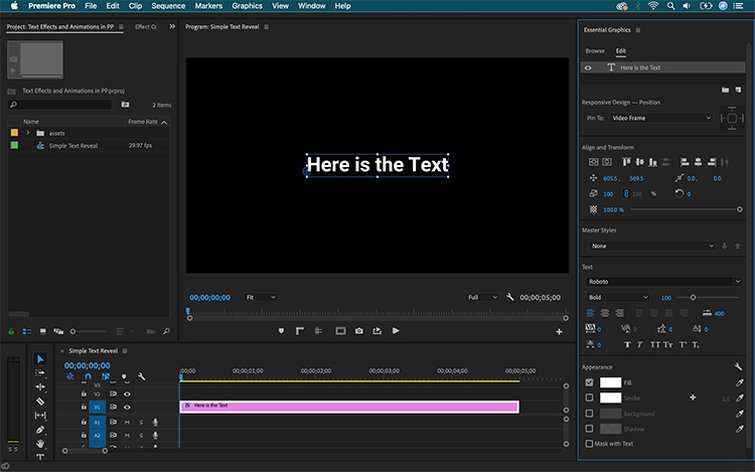 We used text animation to make the text messages clear and appear on the screen.
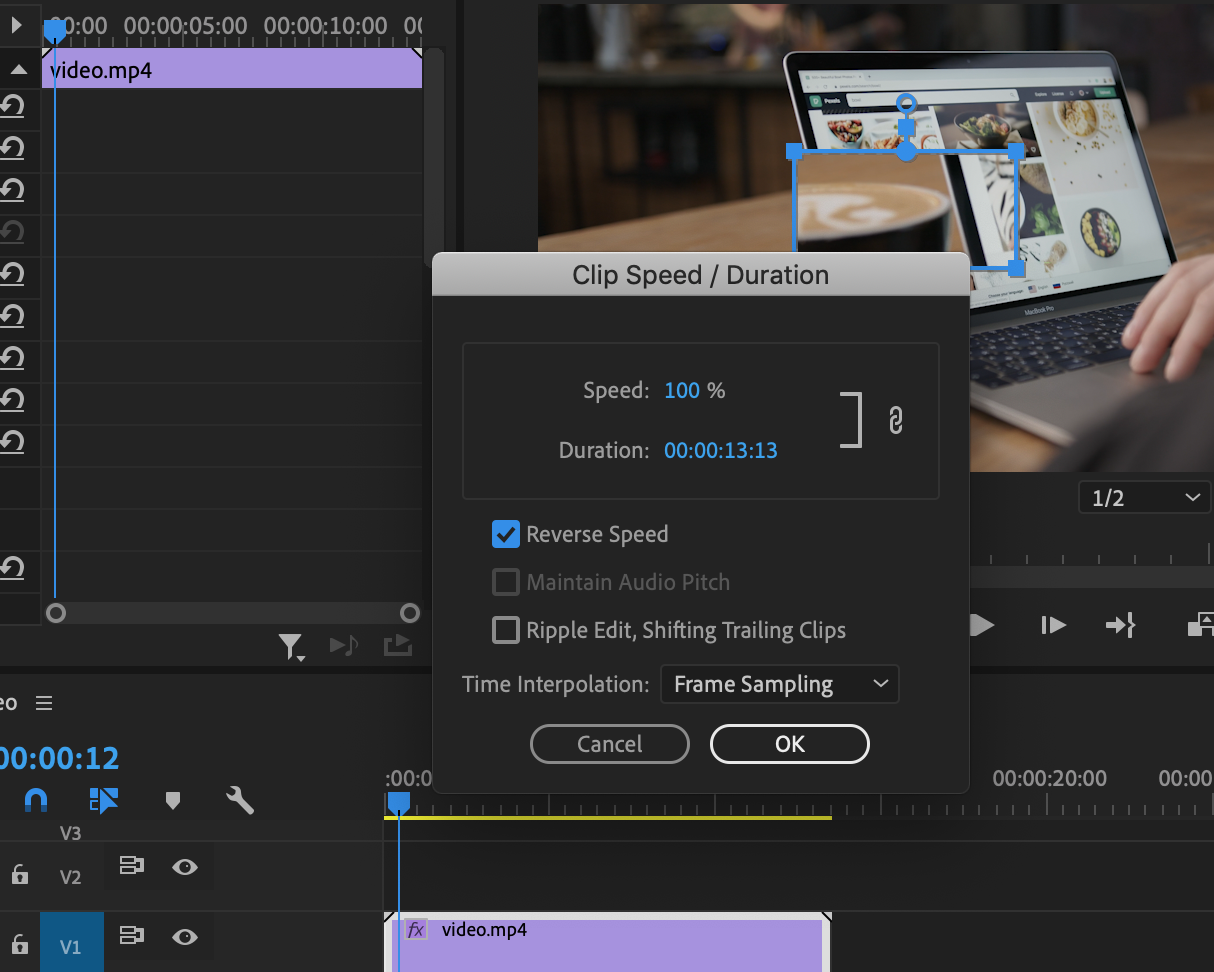
At the end of the music video we used the reverse tool to put the clips of the friend group in reverse so it ended how it started.
Focusing forward for our next draft we will continue to carry on with the story line of the friendship and the emotional connects, through doing this we really need to make the star image relatable to the audience and perceived as ordinary in these sections of the narrative. We also need to complete our text animations, which helps to clearly show the messages between the girls and helps with the consistency of the narrative as it will be more accessible for the audience. As well need to clearly link in the flashbacks, we are going to do this by adding a clip of her placing the frame back down onto the desk as the creates meaning and emphasise of her missing her friends, it also helps to smoothly link the flashbacks back into the present clips. As well we will continue to use the same mise-en-scene as this helps to show our genre.
For our draft 2 of our music video we received some feedback from our teacher who gave us both positive feedback and areas which need improvements. This feedback helped on focus on building on our narrative to create a relatable story line of the friend group for the target audience so they feel an emotional connection, in our video we also need to make sure the star image is portray as both ordinary and extraordinary whilst incorporating the pop genre in it.
I have embedded the feedback we have got given in the video above. All the feedback that we got given was really useful and we are going to include this in our draft 3 to make it better.
Narrative –
Edit to the beat-
Colour –
Shots-

Phone shots-
Mise-en-scene-
we are going to use the feedback to improve our video by this we will:
By including these specific details, it helps to tell the story clearly and deepening the emotional impact through the video. These extra clips will help to create a more visually engaging music video that the audience feels drawn to. These also help the audience feel emotionally connected to the video as the star is not only seen as extraordinary when performing but also ordinary as her emotions are shown in the narrative which create links to the audiences emotions.
Embedded above is a our second draft of our groups music video. In this it includes performance, narrative, clips from our draft 1 and new and improved variety of shots from our new shoots.

As part of my reflection I have colour coded a convention check in list on what areas have been completed and done well in our video and areas that still need improvements and tweaking. This can be seen by the two different colours used green for the areas that have been done well and orange for areas of improvement.
We have improved how the story line is visually portrayed to the audience by including the star image in the friend group at the beginning and physically showing them saying goodbye to each other to try and make it clear that she is moving away. As well as integrating flashbacks into the video.
Since draft 1 we have had multiple new shoots to get more footage for the performance, with our main aim being a bigger variety of shots that we could add into our draft 2. Which we have completed and added in to the music video. Like at the reservoir the framing made by the trees.
When completing our draft 3, me and my group need to focus on:
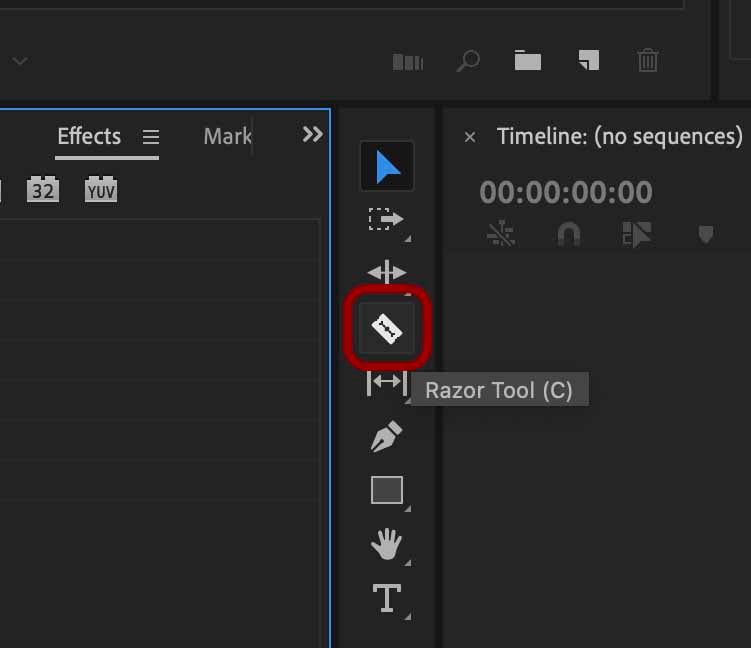
In our editing we used the razor tool to cut different clips into sections so then we were able to integrate different clips and shots together to create a sequence , in this we included close-ups , long shots and mid shots of our star image.
As well we increased and decreased the sizing of different clips so they were edited to the beat and so that the lip syncing lined up with the song.
We have used the cross dissolve affect to create a smooth transition between the different clips.

In our group, we explored how audiences interact with an artists social media page, and what techniques help with the engagement of the audience. We created a google docs to write a script for what we would be talking about and in this we included a variety of key media terms.
Whilst screen recording we showed the different technical conventions that attract the audiences attention and different ways the artists achieves this. This can be seen by using social interaction, which is one of the most effective, this allows the audience to interact with the posts and page, like the audience being able to reply to her story to feel a deeper connection with her. This uses Blumler and Katz’s Uses and Gratification theory, with the personal interaction and identity reinforcement.
In the artist page we analysed, Jorja smith which we realised she includes more of her personal life compared to her star image and music which helps with shaping a hyper-real relationship between herself and her fan-base and helps to shape her online personal identity. This aligns to Richard Dyers theory which says that stars are constructed as both ordinary and extra ordinary.